FB account anti-theft
Account security is like production security, and you can't be lazy, otherwise you don't feel like you have an accident, and the loss will be very huge if something happens. Therefore, it needs to be strictly protected.
All FB numbers/BMs handled must change their personal information.
Include:
1️⃣ FB number password/two-factor authentication/email/email password/secondary mailbox/secondary mailbox password/BM authorized mailbox)
2️⃣ Seven days after accepting BM, you must kick out all admins except yourself.
Modification of FB account related information
After purchasing a FB personal account, you need to clean the account information as soon as possible.
For example:
61554039278624|ua2kv5chm|QS3P54G66LIG4ZSTR7E7GKRS7CFL2LCP|cattladgeera577695@hotmail.com|i34huTIXU0|https://upanh.tv/image/2EWfiQ|2pu|
This is the format of the information received to the FB account, which corresponds to:
Account ID|Account password|Two-factor authentication key|Account binding email|Email password|ID picture
After getting the account information and creating the fingerprint environment, open the Facebook website and hotmail website in the fingerprint
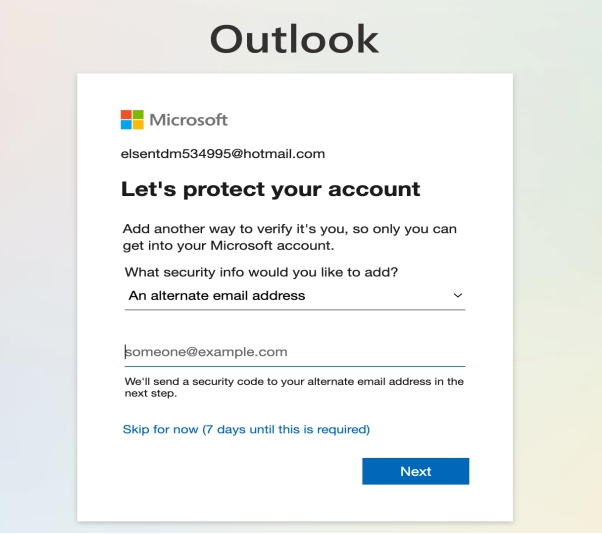
1️⃣:Modify the email address
Before logging in to your email address, you need to add a secondary email address
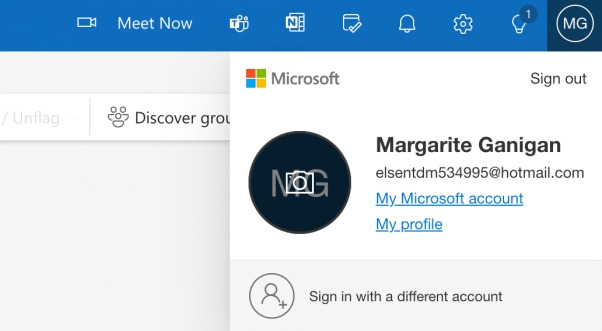
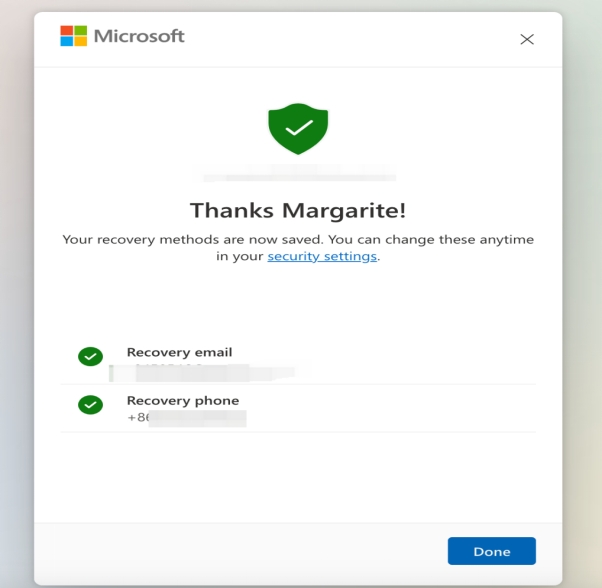
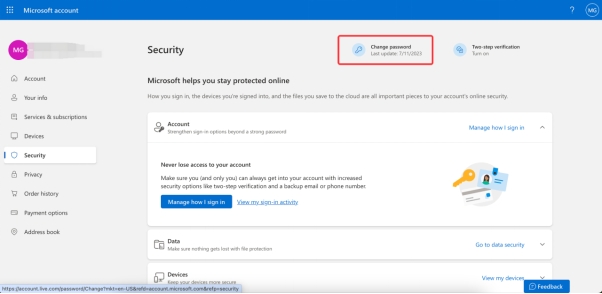
2️⃣:Modify FB account information
After the FB account is stable in the fingerprint environment for 2~3 days, you can gradually change the password and two-factor authentication
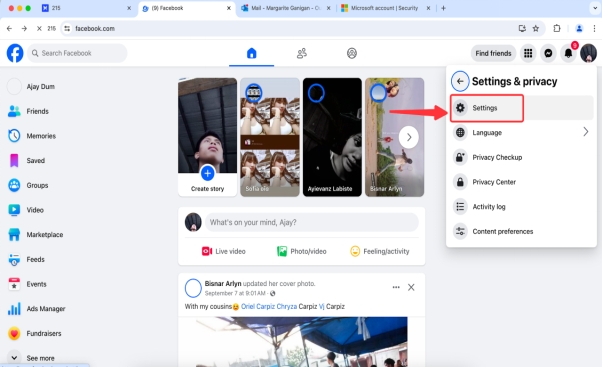
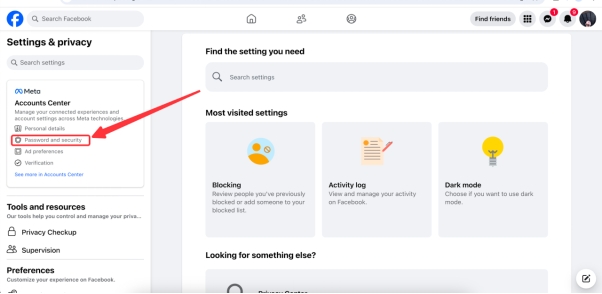
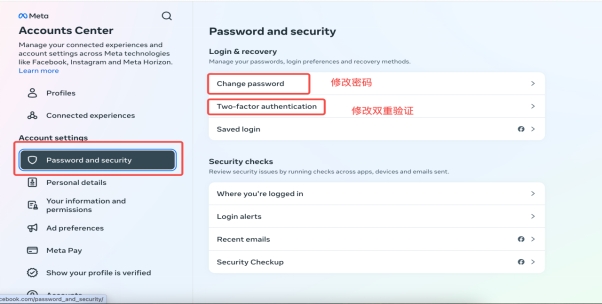
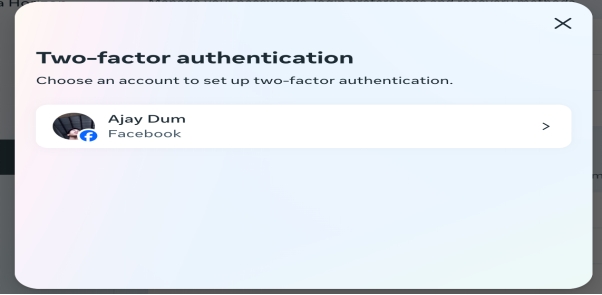
3️⃣:Modify the BM mailbox
After accepting the purchased BM, you need to modify the relevant email information in time
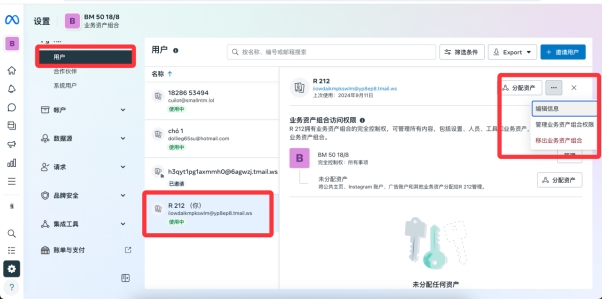
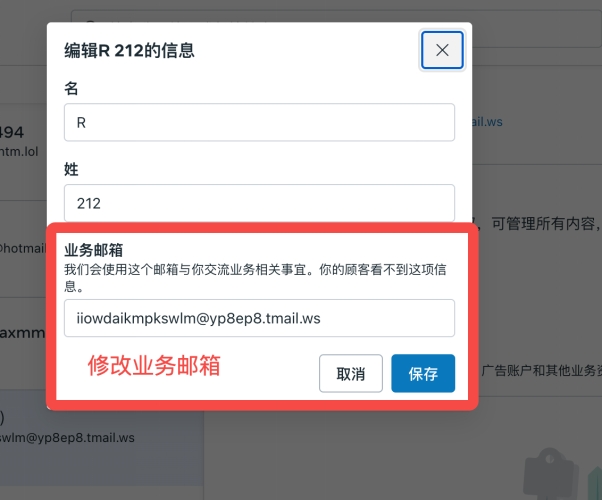
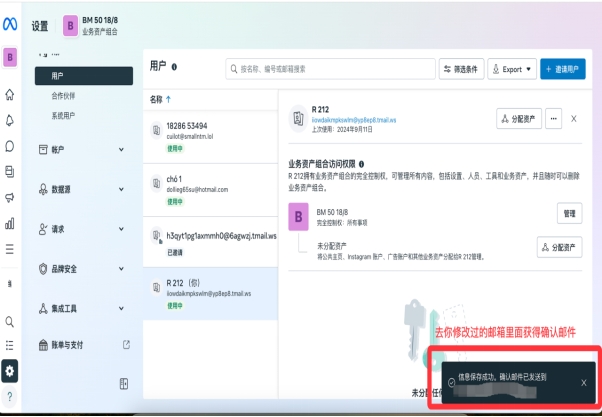
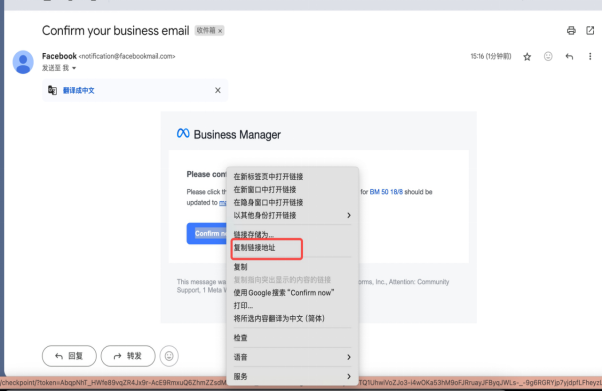
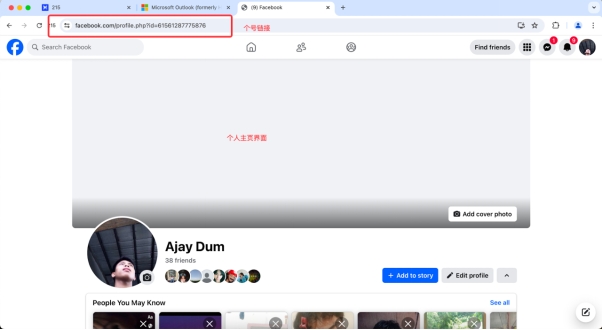
Copy the link address, open the link in your corresponding fingerprint, and confirm the link.
4️⃣:Deletion of ad accounts
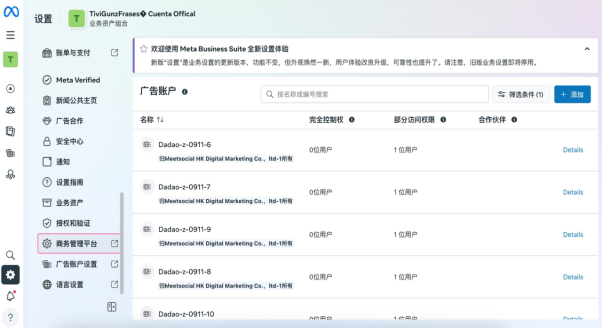
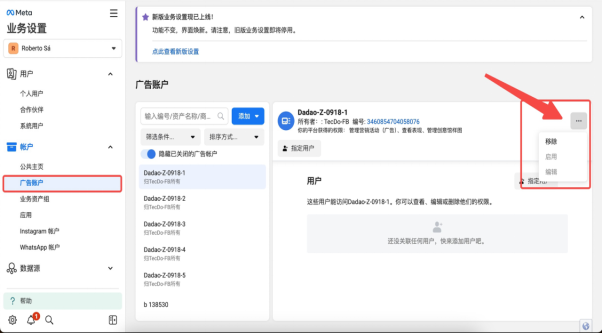
Once the BM you used is no longer in use due to various reasons, you need to transfer the original ad account to a new BM (ordinary users need a new BM, and three unlimited users can use the old BM). After the transfer, the ad accounts in the original BM will need to be removed. Here's how: